Digitize old slides fast with a simple iPhone rig
This concept combines a low-cost physical capture setup with a clean workflow for photographing large slide collections quickly and consistently.
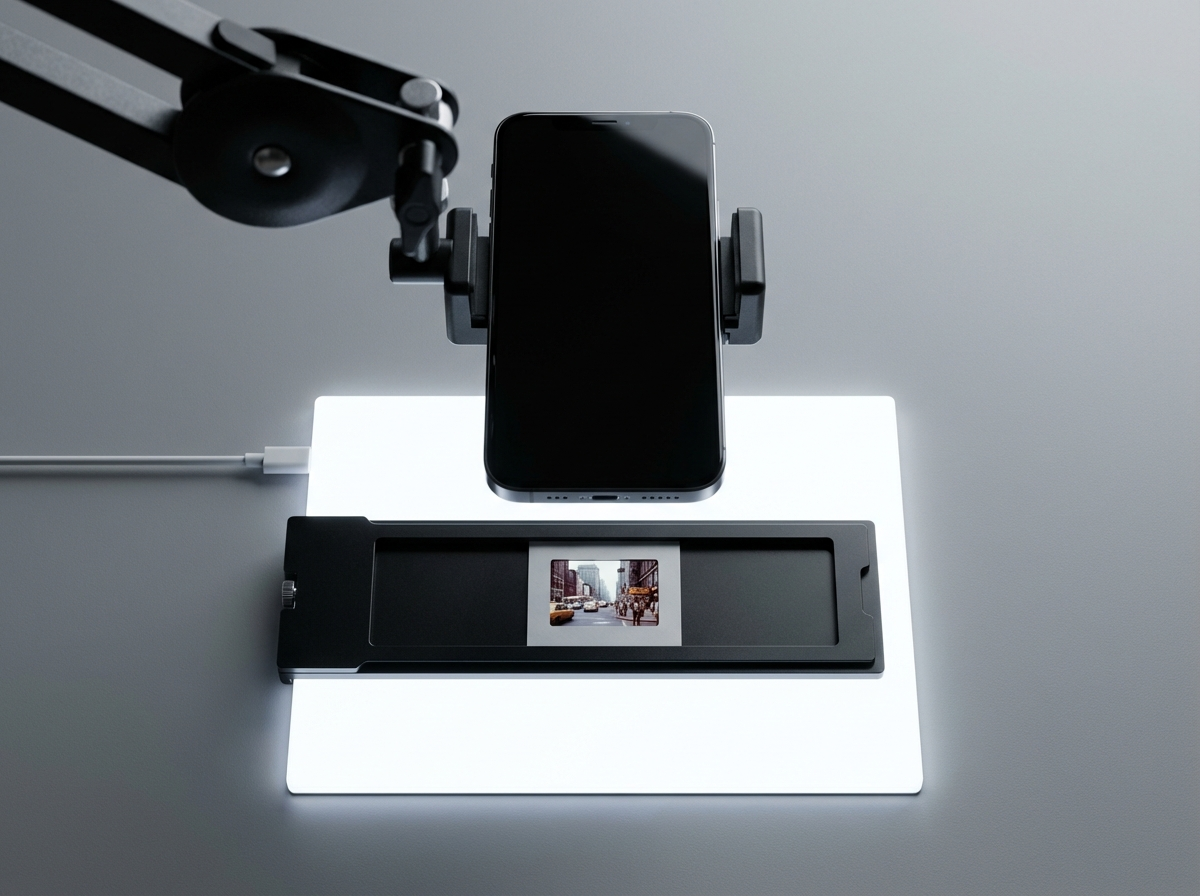
Rig concept
A simple physical setup designed for speed and repeatability
The rig is intentionally basic: overhead phone, backlight, diffusion, and a fixed holder for the slide.
Rig diagram
How the setup fits together
Acquire the core parts
Use simple components that are easy to source and low cost.
Set the geometry once
Center the phone over the holder and lock in the framing.
Run a repeatable batch
Swap slides quickly without touching the rig between captures.
Core parts
What the rig includes
Overhead phone mount
Holds the iPhone directly above the slide area for repeatable framing.
LED light pad
Provides the backlight underneath the slide holder.
Diffusion layer
Softens hotspots and evens out the backlight.
DIY slide holder
Keeps each slide in the same position for fast batch capture.
Assembly
Build steps
Place the light pad flat on a table.
Add a diffusion layer on top of the light source.
Tape or secure the slide holder in the center.
Mount the iPhone directly above the holder.
Adjust height until the slide fills most of the frame.
Lock the rig and start batch capture.
Workflow
A capture flow built for 100+ slides per session
The workflow prioritizes speed during capture and leaves cleanup for later.
Load slides
Keep an input stack on one side and a finished stack on the other.
Drop and capture
Insert each slide, trigger the shutter, and move to the next one immediately.
Process later
Finish the whole batch first, then crop, enhance, and export.
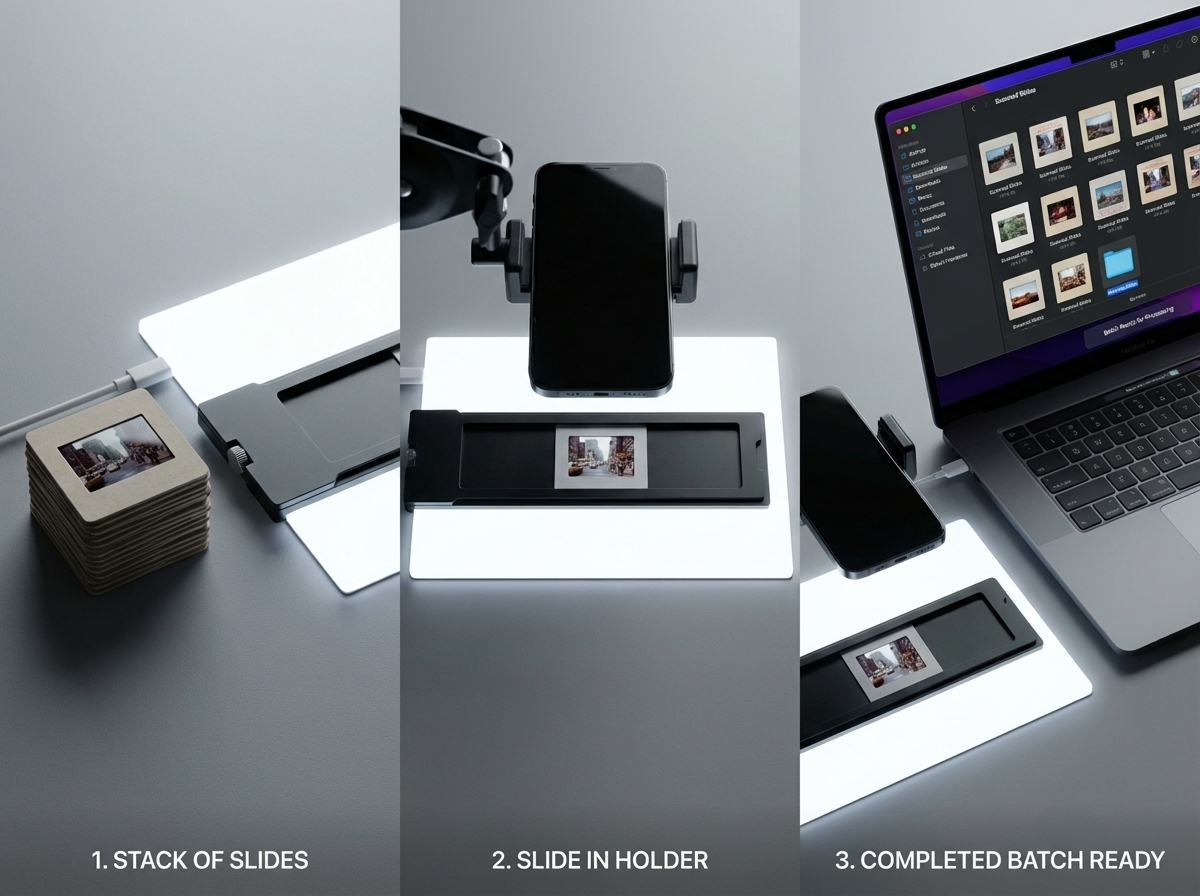
Workflow visual
Input to capture to completed batch
This visual shows the intended session flow: stack slides, drop into the holder, then move the full batch into processing.
Proof of concept
A simple, credible concept for fast slide digitization
This page is designed to communicate the concept clearly to stakeholders before the physical rig photography and production visuals are finalized.